
In addition to uploading your creatives from the Creatives Tab in your account, you can also add them directly from the campaign page. Here is how:
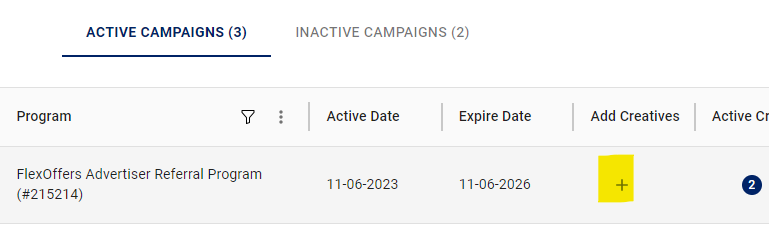
- Once your campaign is created, click the plus sign (+) icon:
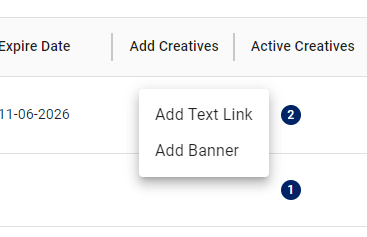
- You will then have the option to add either a Text Link or a Banner:
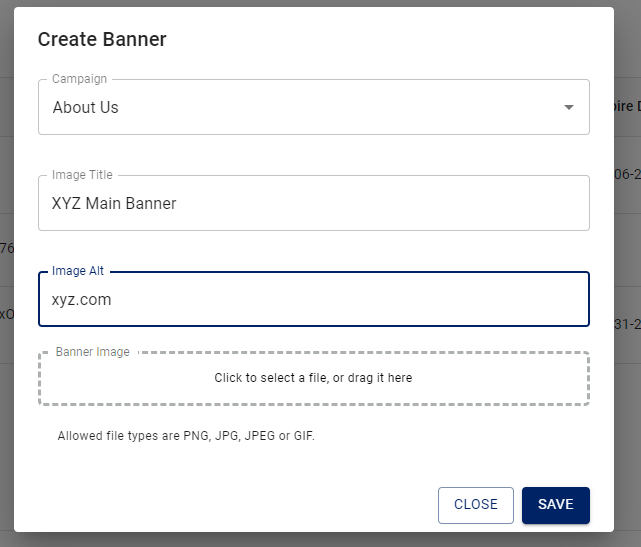
- A pop up will then be displayed where you can enter the details of you text link or banner:
- Once completed you can hit Save or Save & Continue to add more.
Articles in this section
- Advanced Commission Settings
- Recommendations for Optimal Affiliate Program Management
- Best Practices for Publisher Outreach
- Campaign & Creative Management
- What to Say to Publishers
- Publisher Promotional Methods
- Performance Report
- Adding Manual Transactions and Bonus Commissions for Publishers
- How to Add, Edit, and Manage Coupons & Offers for Publisher Promotion
- Managing Publisher Groups